
Economy mod for Fabric SMP servers
SMP Economy+ is a server-side mod. Put one jar and Fabric API on your server and players get a shop, an auction house, jobs, missions and a bank. They join with the normal game: no client mod, no resource pack.
- Minecraft
- 1.21.11, 26.1.2, 26.2, 26.3
- Loader
- Fabric
- Licence
- MIT, free
Modules
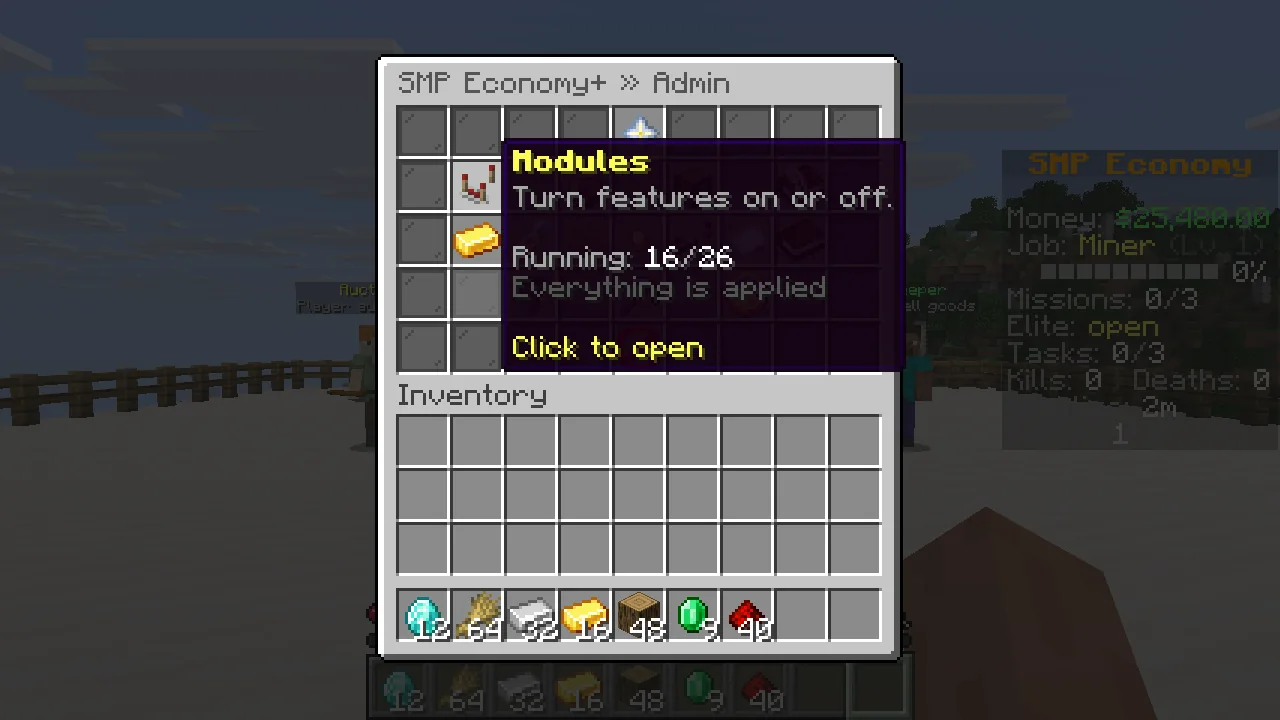
Running: 16/26
Install it and the core is on. The extras stay off until you want them. A module that is off registers no commands and creates no config or data files of its own (prices.json and shop.json belong to the core), and its sidebar lines and menu buttons are gone too. Only economy can't be turned off.
Core, on by default
- economyBalances, payments, top list and the server treasury.
/bal /pay /baltop /treasury - starterStart money and a starter kit for new players.
/smpeco starterkit - sellSell from a GUI, your hand or your whole inventory.
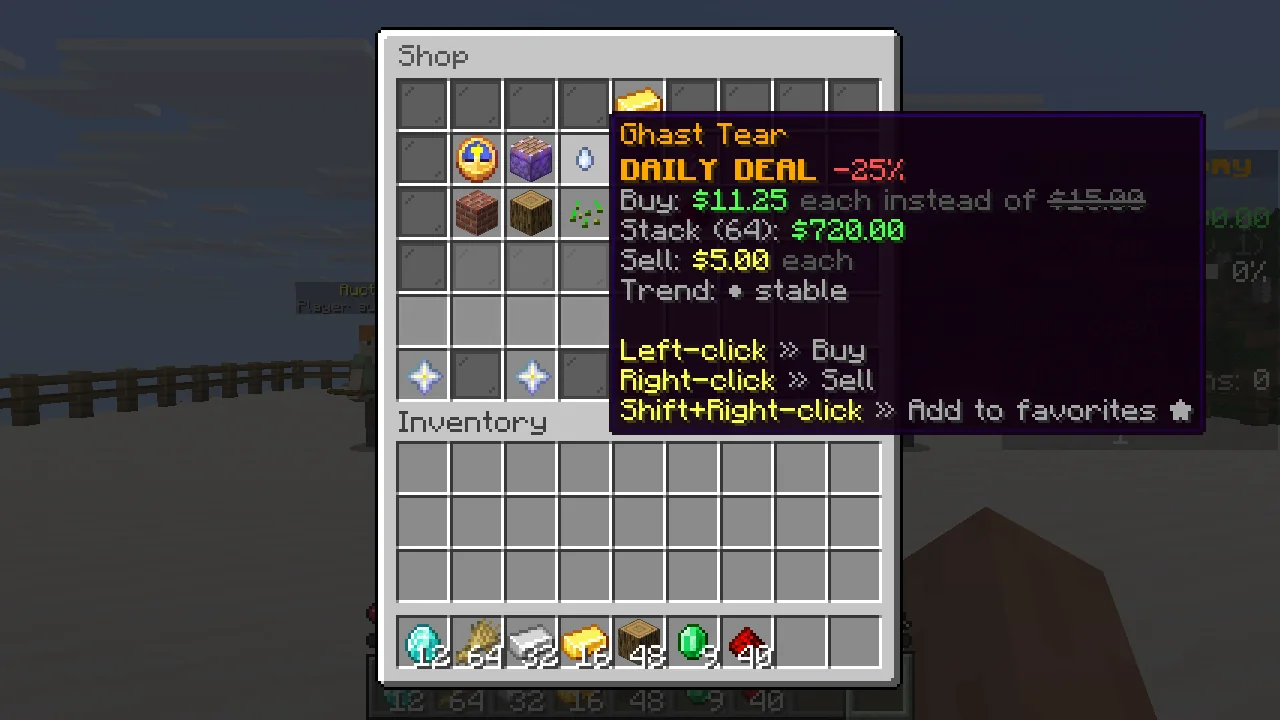
/sell /sell all /worth - shopAdmin shop with categories, search, favourites and daily deals.
/shop - auctionPlayer auction house with search and sorting.
/ah /ah sell [total_price] - ordersBuy-order board with orders from players and NPC traders.
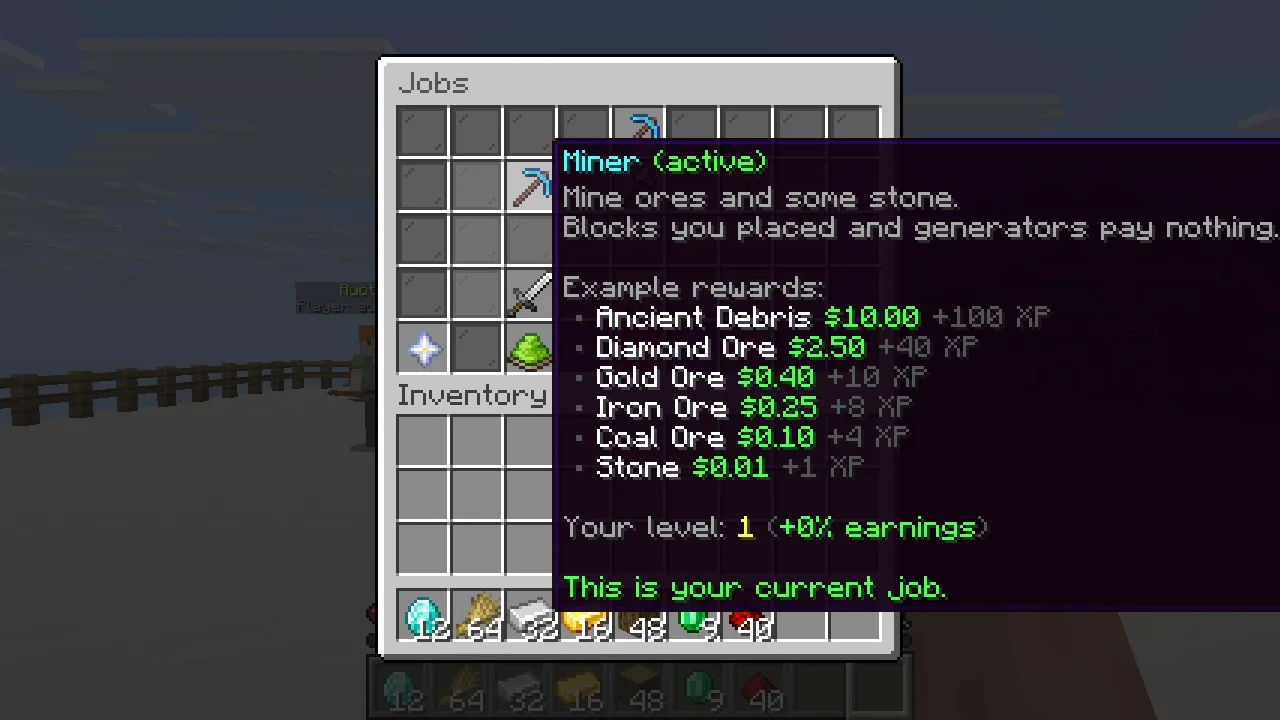
/orders - jobsMiner, lumberjack, farmer, hunter, fisher and digger, up to level 50.
/jobs - tasksThree daily tasks and a bonus for finishing all of them.
/tasks - missionsMission board with four tiers and one elite mission a day.
/missions - bankSeparate bank balance with daily interest.
/bank - menuMain menu and a command overview.
/menu /commands - settingsPer-player toggles.
/settings - hudSidebar, tab list header and footer.
/sidebar - statsPlayer stats, playtime and leaderboards.
/stats /playtime /leaderboard - holoAdmin-placed holograms, including leaderboards.
/holo - npcAdmin-placed NPCs that open a menu or run a command.
/smpeco npc
Extras, off by default
- casinoBlackjack, roulette, slots, crash, plinko, dice and more, with a daily loss limit per player.
/casino - eventsLottery, timed server events and trader ranks.
/lottery /event /rank - clansInvites, ranks, clan bank, clan home and clan chat.
/clan /cc - bountyPut money on another player's head.
/bounty - minigamesChat games, the MEGA challenge, treasure hunts and coinflips.
/chatgame /treasure /cf - cratesCrates opened with virtual keys and an animated spin.
/crates - dailyDaily login reward with a streak.
/daily - afkAn AFK zone that pays out while players stand in it.
/afkzone - marketMoving market values and NPC buyers and sellers in the auction house. Needs
auction./market - newsRandom events that move prices for a while, plus flash sales, with titles and a boss bar.
/news
What your players see
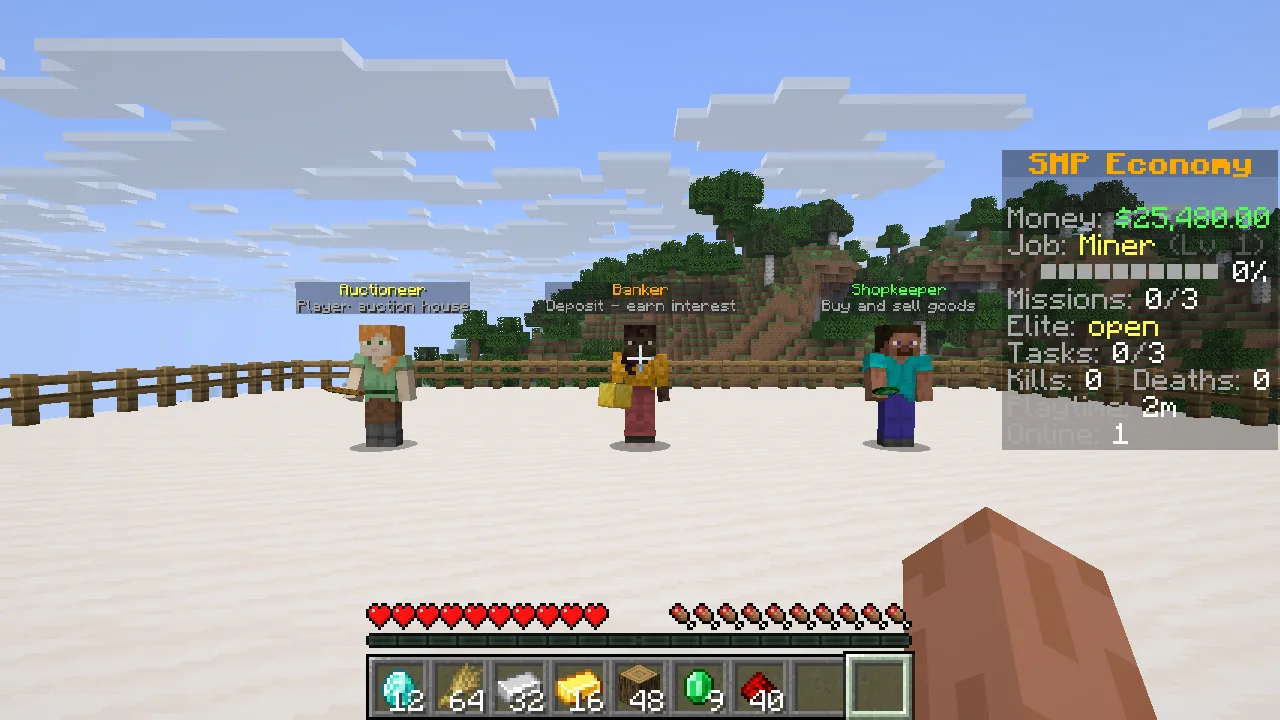
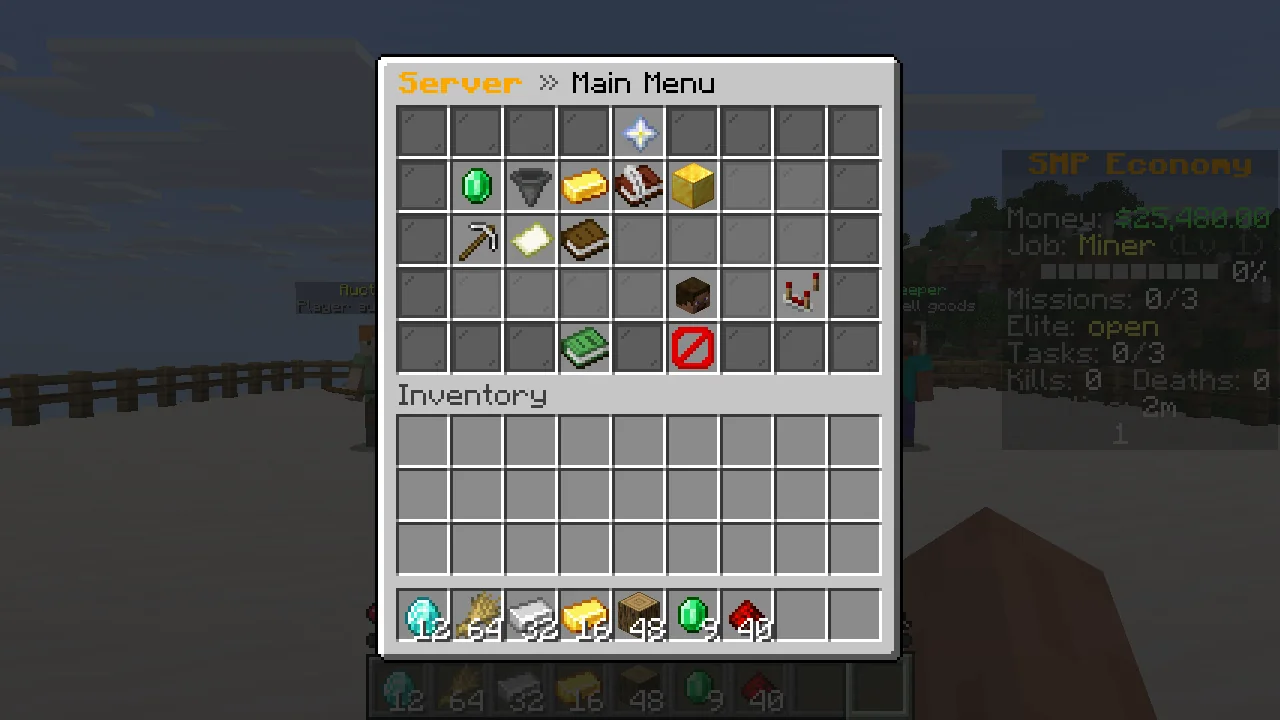
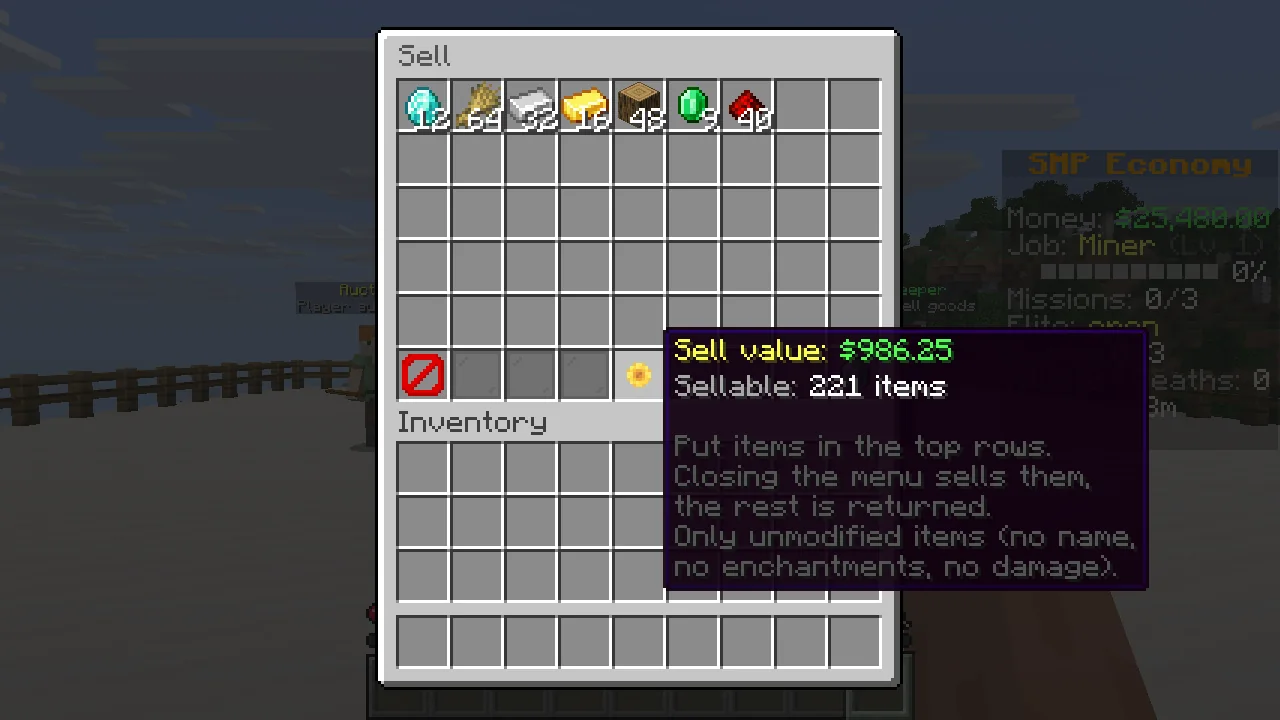
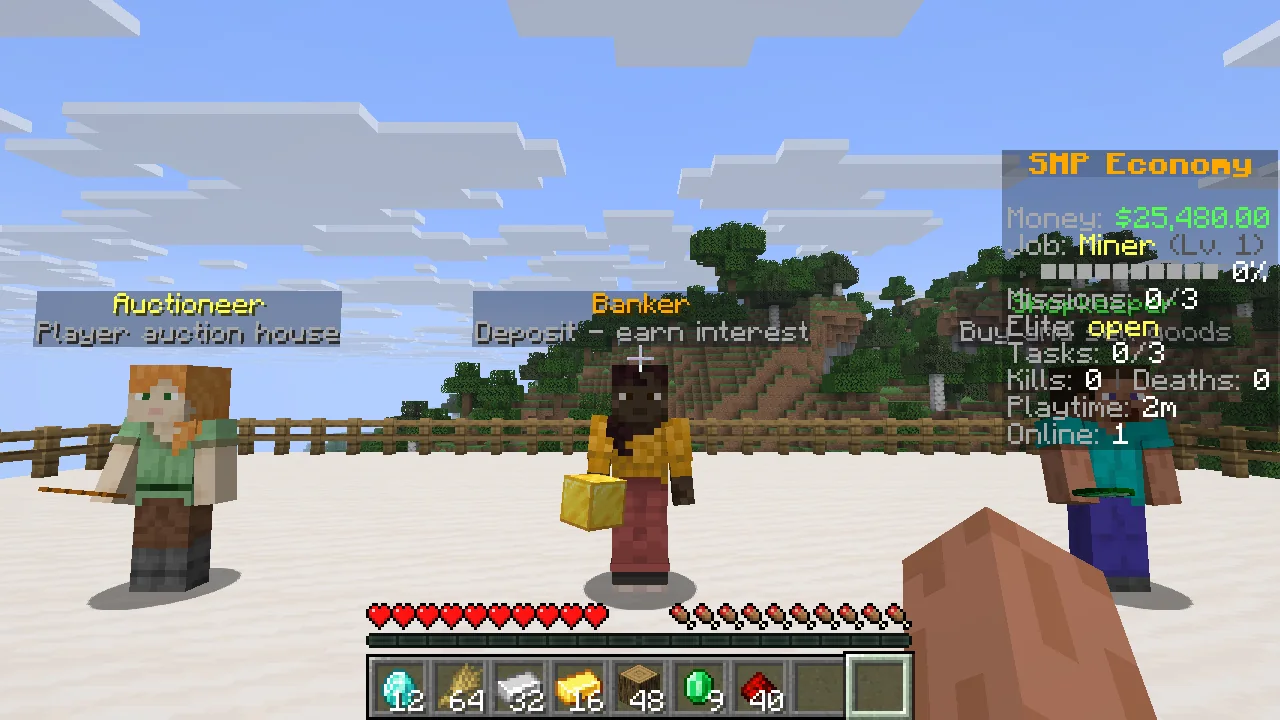
Menus are vanilla chest GUIs, with the vanilla anvil screen for text input. These are unedited shots from a 1.21.11 test server. The platform, the NPCs, the money and the auction listings were set up for the pictures, so the listings are NPC listings and not real player trades.
![The auction house with a tooltip showing an Elytra for $9,500 from an NPC seller named [Market] Test Trader, expiring in 5 hours 59 minutes.](img/shots/10-auction-house-listing-tooltip.webp)
Set it up from inside the game
/smpeco admin opens a chest GUI. From there you switch modules and set the start money, starter kit, chat prefix, sidebar title, currency symbol and the sell and job-pay multipliers.
To build the starter kit, fill your inventory the way a new player should get it and click once.
The GUI writes the same JSON in config/smpeconomy/ that you can edit by hand, and /smpeco reload picks it up. Module changes need a restart.
By default players can use player commands and admin commands need OP level 2. LuckPerms works through fabric-permissions-api, and commands have smpeconomy.* nodes.
New players start with $0 until you set a start money. All commands and nodes are in the command list, and every file with its defaults is in the configuration reference.
Where the money comes from
NPC and bank money comes out of a server treasury that starts with $25,000. Spending on NPC buyers and bank interest is capped at 5% of its balance per rolling hour. /sell and job pay are not paid by the treasury, so they add new money to the server. If prices drift too high, lower the sell and job-pay multipliers. See the balance with /treasury and the flows with /smpeco treasury flows.
- Start capital
- A share of shop purchases
- Auction tax
- Casino losses and lottery tickets
- Order, coinflip and bounty fees
- Bank interest
- NPC buyers
- Casino and lottery wins
Saved together with the world
Mod data is saved with a journal right before vanilla saves players and the world, and when a player disconnects. After a crash, money, items and the world go back to the last save together. One gap: when a player disconnects, mod data and other players' files with pending item moves are written too, so until the next autosave those can be newer than the world.
Restore points
A restore point of the mod's data is written after each successful start, and the latest five are kept. If a data file is damaged at startup, or missing although it existed before, the server refuses to start and logs what to do.
Works with
Nothing here is required, and without the other mod nothing changes. I tested these on dedicated test servers with bots, on all four Minecraft versions unless noted.
What happens with these mods
- VeinminerEvery block of a vein pays on its own. Claims are asked for every block, also with older Veinminer versions that skip the break event for follow-up blocks.
- Flan, Open Parties and ClaimsBreaks they deny pay nothing. A vein that crosses a claim border stops at the border and pays for the blocks outside. Vein test run on all four versions with Flan, and on 1.21.11 and 26.1.2 with Open Parties and Claims.
- Tree HarvesterEvery log of a felled tree pays. Placed logs pay nothing.
- RightClickHarvestHarvests pay. Harvests Flan denies pay nothing.
- Universal Shops (tested on 1.21.11 and 26.3)Sells for player money through Common Economy API, which is bundled in the jar. One raw unit is one cent. The bank and the treasury are not exposed.
- Styled Chat (placeholders tested on 1.21.11 and 26.3)Can show the placeholders below. Clan chat stays private.
- Styled Player ListKeeps the tab list, because it resends its own header and footer every second. Put the placeholders below in its style files to show the mod's data there. Set
tablistWithStyledPlayerListinhud.jsonto send the mod's tab list anyway. - VanishThe sidebar and tab footer count of online players leaves out vanished players for anyone who can't see them.
- Carpet
/playerbots get no job pay, account or start money, and stay off/baltop. SetbotsEarninjobs.jsonto let them earn job pay; a bot that earns gets an account and then shows up on/baltop. Tasks, missions and other rewards also skip bots in the code, but I only ran the cases above with a real bot. - Universal GravesGraves work. Dying with items in the sell GUI sells them once.
- Polymer (tested on 1.21.11 and 26.3, with Universal Shops items)Modded items can be priced like vanilla ones.
No conflict found
- LuckPerms
- Ledger
- Lithium
- FerriteCore
- C2ME
- Krypton
- ServerCore
- Spark
- Chunky
- BlueMap
- Essential Commands (no 26.1.2 build)
- Dynmap (1.21.11 only)
Placeholders and modded items
With Placeholder API, which Styled Chat and Styled Player List bring along: %smpeconomy:balance%, %smpeconomy:balance_short%, %smpeconomy:bank%, %smpeconomy:job%, %smpeconomy:job_level%, %smpeconomy:currency%.
Add item ids from other mods to prices.json, shop.json, market.json or orders.json.
Command names and conflicts
If another mod has already registered a name such as /shop or /pay by the time SMP Economy+ adds its commands, SMP Economy+ leaves it alone and logs a warning. The warning names the mod when it can tell which one it is. You can take the command back under another name in commands.json.
The conflicts I know about, including Burger Economy, are listed in the README under Known conflicts.
Install
- Set up a Fabric server and put Fabric API into
mods/. - Put the jar for your Minecraft version into
mods/, for examplesmp-economy-plus-1.0.0+26.2.jar. - Start the server once. Configs appear in
config/smpeconomy/, data in<world>/smpeconomy/. - Join as an operator and run
/smpeco admin.
| Minecraft | Java | Fabric Loader |
|---|---|---|
| 1.21.11 | 21+ | 0.19.5+ |
| 26.1.2 | 25+ | 0.18.4+ |
| 26.2 | 25+ | 0.18.4+ |
| 26.3 | 25+ | 0.19.3+ |
Questions
Do players need to install anything?
No. It runs on the server only. Players join with a vanilla client, with no client mod and no resource pack. Menus are chest GUIs, and text input such as search and prices uses the vanilla anvil screen.
Does it work in singleplayer?
No. It is built for dedicated Fabric servers and does not load on clients.
Which Minecraft versions are supported?
1.21.11, 26.1.2, 26.2 and 26.3, with one jar per version. 1.21.11 needs Java 21 or newer and the 26.x versions need Java 25 or newer.
Do I need LuckPerms?
No. Without a permission plugin, player commands are open to everyone and admin commands need OP level 2. LuckPerms is optional if you want to control commands per group.
Can I turn off the casino?
It is already off, along with the other extras. Every module except economy can be switched in /smpeco admin or modules.json, and a change needs a restart.
Where does NPC and bank money come from?
From a server treasury, funded by a share of shop purchases, auction tax, casino losses and fees. /sell and job pay do not come from it, so they add new money. The figures are in the money section above.
Can I change prices and currency?
Yes. Prices live in prices.json and shop.json. The currency symbol and global multipliers are in the admin GUI.
Can I move a world to an older version?
No. Going back to an older Minecraft version with the same data isn't supported. Moving from 1.21.11 to 26.x works: balances, auctions, orders and other mod data load on 26.x.
Is it free?
Yes, free and MIT licensed. If you use it in a modpack or a fork, please credit "SMP Economy+ by Levi (12iveL)" and link back. The jar also bundles sgui (LGPL-3.0), Common Economy API (Apache-2.0) and fabric-permissions-api (MIT) under their own licences.
Who made this?
Levi (12iveL). I built it for my own SMP and turned it into a public mod.